Business admin around electrical work

Practical job management for busy electricians

Keep the business admin around your electrical work organised—from the customer and scheduled visit to the quote, job photos, invoice and payment record.

TradesMate app icon

Android app

Get the correct TradesMate app

1
On your Android phone

Open gettradesmate.com and tap Get the app, or use the direct button below.

2
If you search Google Play manually

Search for TradesMate and confirm the package ID shown below.

QR code opening the TradesMate Google Play listing
Viewing this on a computer?

Scan this code with your Android phone camera to open the exact Google Play listing.

Open TradesMate on Google Play

The direct button is the most reliable way to find the app. Google Play search results can vary by account, country and device.

Free 20-minute walkthrough

The working-day problem

Electrical work is specialised. The surrounding admin still needs a clear system.

Customer details, visit times, pricing and payment records can easily end up in separate places. TradesMate connects those operational records without presenting itself as electrical-certification software.

  • Know who is attending each scheduled job
  • Keep the job address and description ready for the visit
  • Move accepted quote details into an invoice
  • See payment status and job-related expenses

A clear working process

Keep the commercial trail around each electrical job

A fault-finding visit, lighting work, socket installation or planned installation can follow the same clear admin sequence without implying specialist electrical templates.

  1. 1

    Create the customer

    Save phone, email and address details for direct contact and future work.

  2. 2

    Schedule and assign

    Set the date and time, describe the visit and assign a team member when needed.

  3. 3

    Prepare the quote

    List labour or other chargeable items with quantities, prices, tax and notes.

  4. 4

    Record the job

    Update progress and retain before-and-after photos with the job record.

  5. 5

    Invoice and reconcile

    Invoice the customer, record payments and add expenses associated with the work.

Real TradesMate screens

Evidence of the electrical business workflow

Real screens show the parts TradesMate handles: scheduled work, commercial documents, team settings and financial visibility.

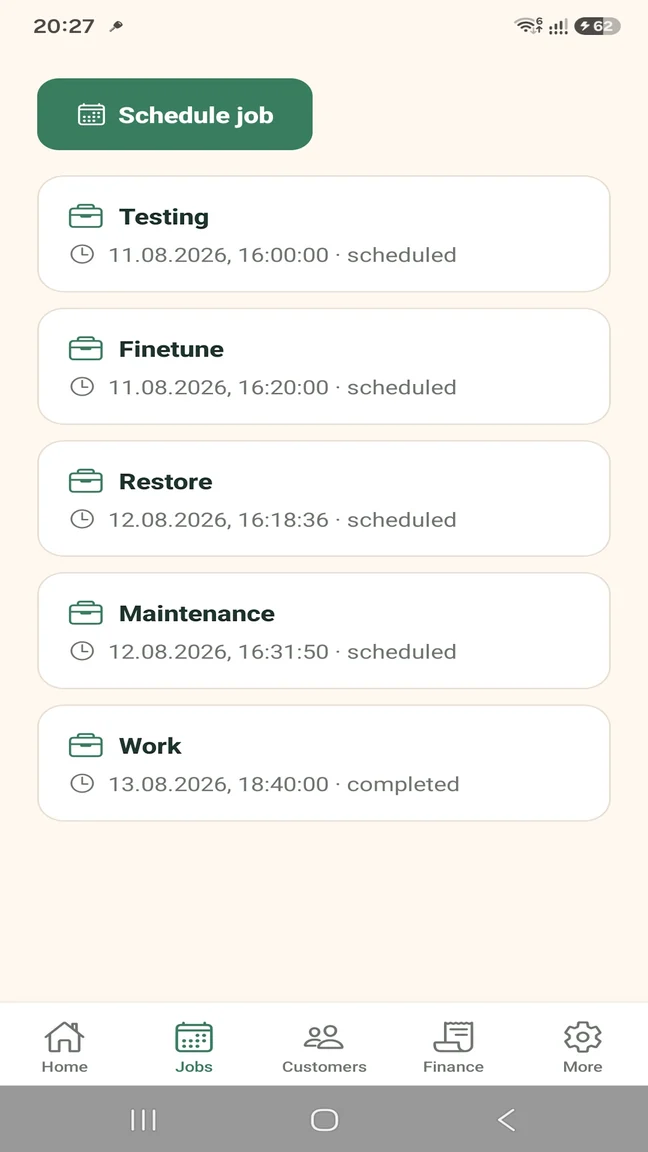
TradesMate Android jobs list for scheduled and completed electrical work
Schedule electrical visits
TradesMate itemised quote screen with quantities, tax and total
Quote from the phone
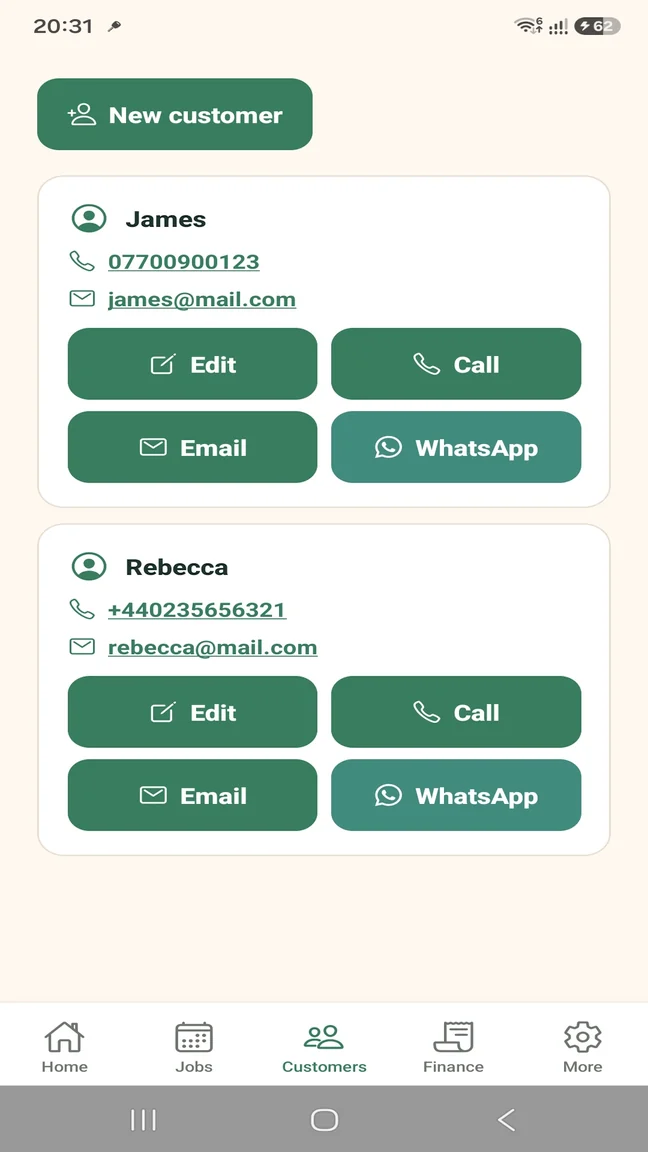
TradesMate customer records with phone, email and WhatsApp actions
Keep customer contact close
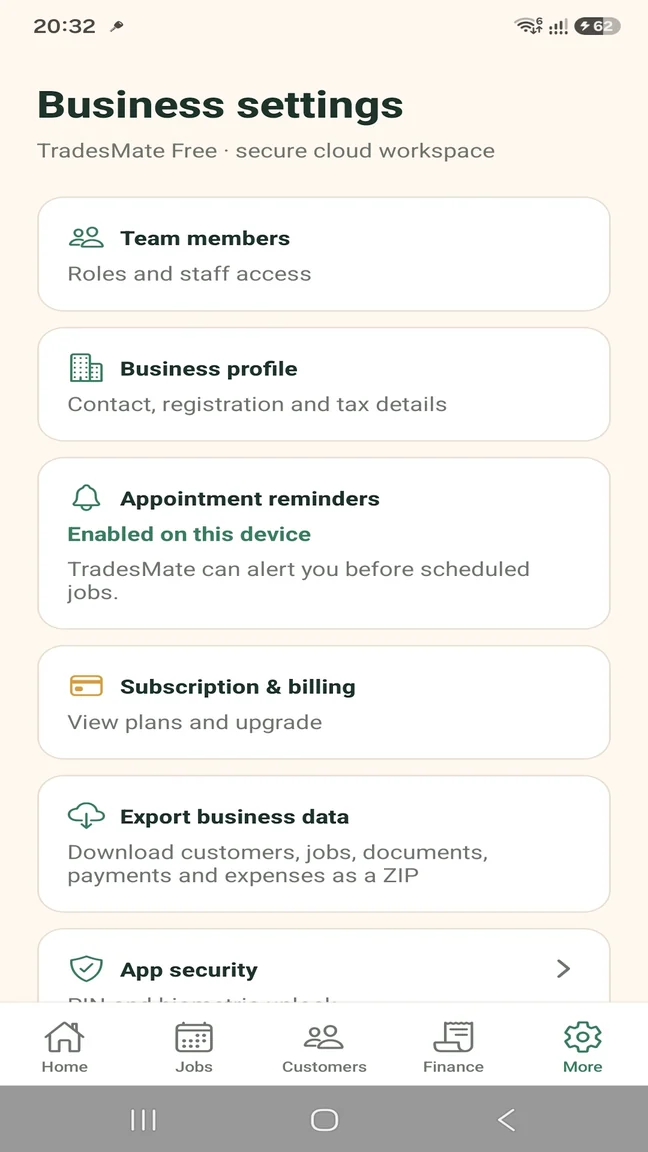
TradesMate business settings with team members and role access
Manage roles and team access
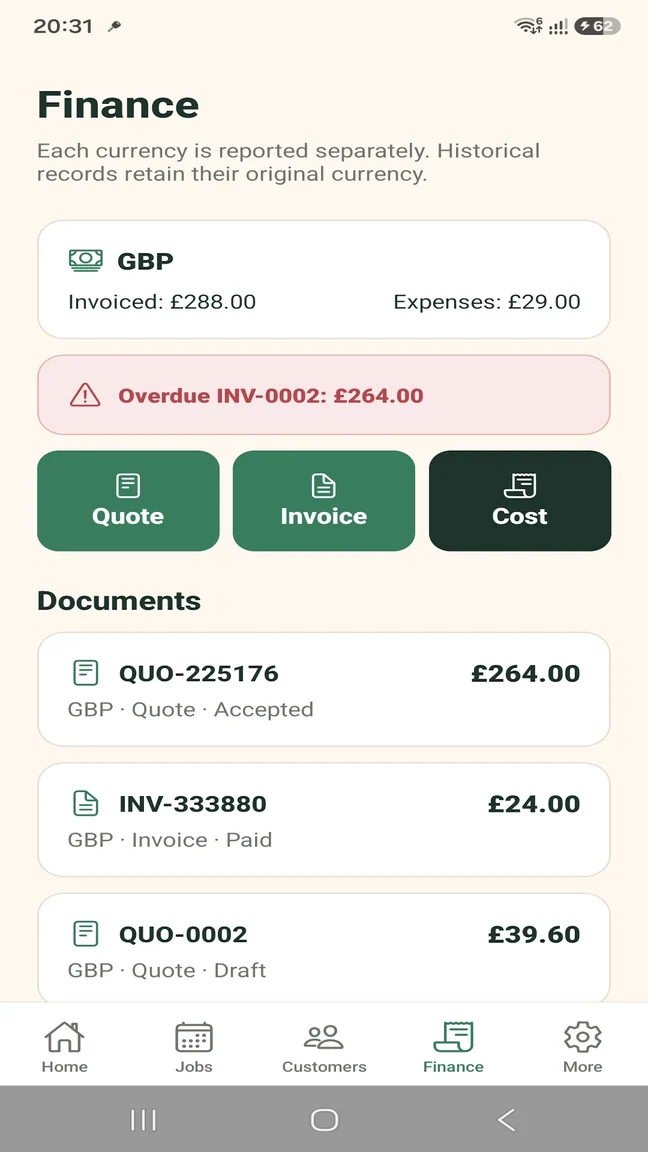
TradesMate finance screen with quotes, invoices, expenses and overdue indicators
Track documents and money

Assign work across a small team

An owner or administrator can add team members and assign scheduled work while role permissions control access.

  • Owner, administrator and worker roles
  • Team-member job assignment
  • Shared cloud-backed workspace
  • No GPS, live tracking or timesheet claim

Quote and invoice without returning to a desk

Create structured documents around the work and retain their status from quote acceptance through payment.

  • Multi-item quotes and invoices
  • Quote-to-invoice conversion
  • Due dates and overdue indicators
  • Partial payments and payment history

Keep photos with the job

Before-and-after photos can support the operational record for fault finding, installation work or a return visit.

  • Compressed job photos
  • Photos attached to the relevant work
  • Job address and description
  • Scheduled, in-progress, completed or cancelled status

Clear scope: admin, not certification

TradesMate organises customers, jobs and business records. Electrical testing and certification remain in the specialist systems and processes you already use.

  • No EICR or EIC generation
  • No Minor Works or PAT certificates
  • No BS 7671 workflow claim
  • No NICEIC or NAPIT documentation claim

Built for the way you work

Useful whether you work alone or coordinate others

The product supports everyday electrical-business administration without making dispatch or workforce-tracking claims.

Self-employed electrician

Keep your customers, visits, quotes and payment records accessible from the phone you already carry.

  • Free plan for a small workload
  • Direct customer contact
  • Financial status by currency

Small electrical team

Give staff appropriate access and allocate work to a named team member.

  • Owner, admin and worker permissions
  • Job assignment with Pro
  • Business data ZIP export with Pro

Start without a large commitment

Free for a small workload. Pro when you need more.

Use Free to test the business-admin workflow as a sole trader. Pro removes limits and adds the team controls a small electrical business can use.

TRADESMATE FREE

Try the working process

  • Up to 5 customers
  • Up to 5 active jobs
  • Up to 5 quotes or invoices per month
  • Up to 20 expenses per month
  • Up to 10 job photos
  • Single user; no business-data export

TRADESMATE PRO

Remove the operational limits

  • Unlimited customers and active jobs
  • Unlimited documents, expenses and photos
  • Team access and role permissions
  • Job assignment
  • Business data ZIP export

Eligible new monthly subscribers can receive a 14-day free trial. Current subscription prices appear in Google Play in your local currency.

Questions about this workflow

Practical answers before you start

Can a self-employed electrician use TradesMate?

Yes. A sole trader can start with the defined Free-plan limits and keep the core customer, job, document and payment workflow in one place.

Can I schedule electrical jobs and appointments?

Yes. Jobs can include a date, time, address, description, status and configurable push reminder.

Can I assign jobs to another team member?

Yes. TradesMate Pro supports team access, owner/admin/worker permissions and job assignment.

Can I create quotes and invoices from my phone?

Yes. TradesMate supports multi-item quotes and invoices, PDF generation, sharing, customer email actions and quote-to-invoice conversion.

Can I keep before-and-after job photos?

Yes. Compressed photos can be retained with the relevant job record.

Does TradesMate generate EICRs or electrical certificates?

No. The verified feature set does not include EICR, EIC, Minor Works or PAT certificate generation. TradesMate handles customers, jobs, quotes, invoices, payments, expenses, photos and team assignment.

Is TradesMate electrical compliance software?

No. TradesMate should not be presented as specialist electrical-compliance software. It organises the business administration around electrical work while your established compliance process remains separate.

TradesMate for Android

Keep the work and the admin together.

Start on the Free plan or ask Samuel for a free 20-minute walkthrough.

TradesMate app icon

Android app

Get the correct TradesMate app

1
On your Android phone

Open gettradesmate.com and tap Get the app, or use the direct button below.

2
If you search Google Play manually

Search for TradesMate and confirm the package ID shown below.

QR code opening the TradesMate Google Play listing
Viewing this on a computer?

Scan this code with your Android phone camera to open the exact Google Play listing.

Open TradesMate on Google Play

The direct button is the most reliable way to find the app. Google Play search results can vary by account, country and device.

Ask for a walkthrough

We will use these details only to answer your TradesMate request.