
The details needed for the visit
A job record brings the customer and practical appointment information together so the entry means more than a date and title.
- Job date and time
- Address and job description
- Customer contact details
- Current job status
A practical job diary on Android
Put the date, time, address, customer and job description together, then update the status as work moves from scheduled to completed—or changes along the way.
The working-day problem
You also need to know who the customer is, where the work is, what was agreed and whether it is still scheduled. TradesMate keeps those details together rather than leaving the appointment as an unexplained calendar entry.
A clear working process
TradesMate provides a straightforward job diary and record. It does not claim route optimisation, GPS tracking, automatic dispatch or external-calendar integration.
Associate the job with an existing customer and their contact details.
Choose the job date and time for the scheduled work.
Store the title, description and address needed for the visit.
Choose the appointment reminder and assign a team member on Pro.
Move the job through scheduled, in-progress, completed or cancelled.
Real TradesMate screens
The jobs list shows the scheduled time and current status. The dashboard surfaces the next work, while settings controls reminders and team access.
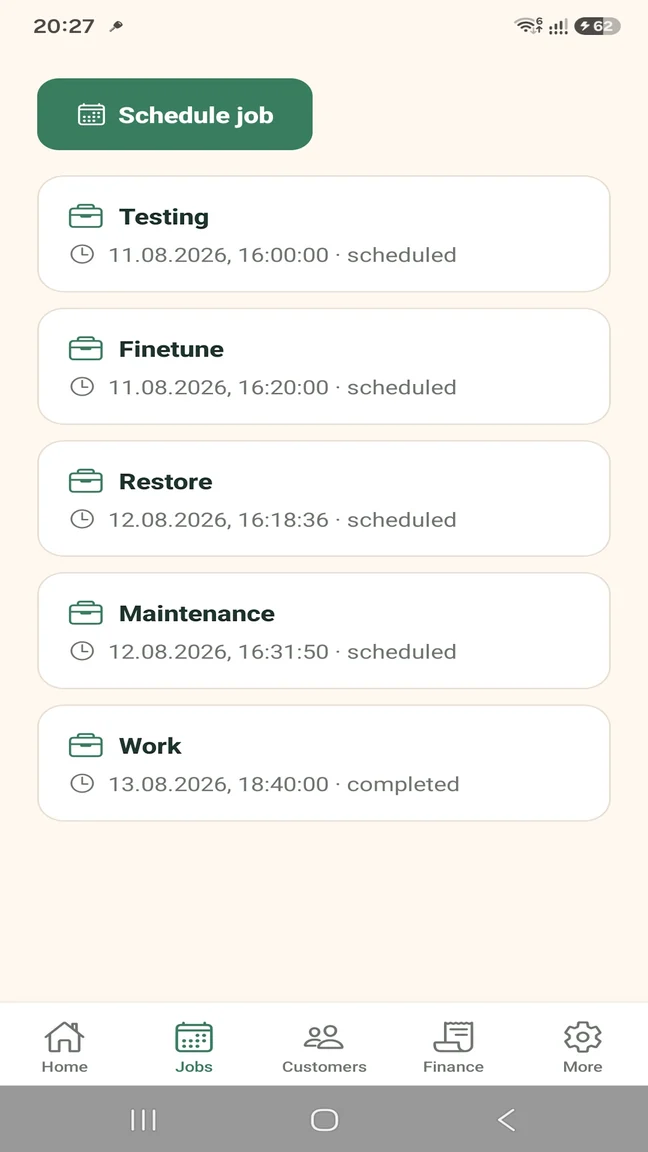
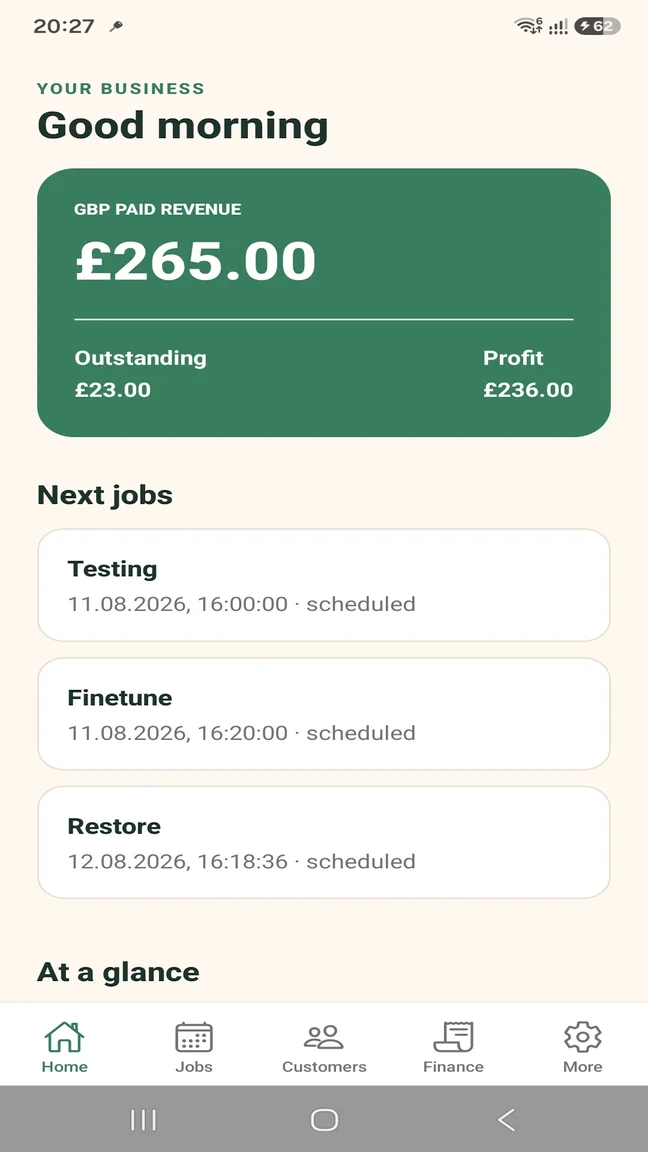
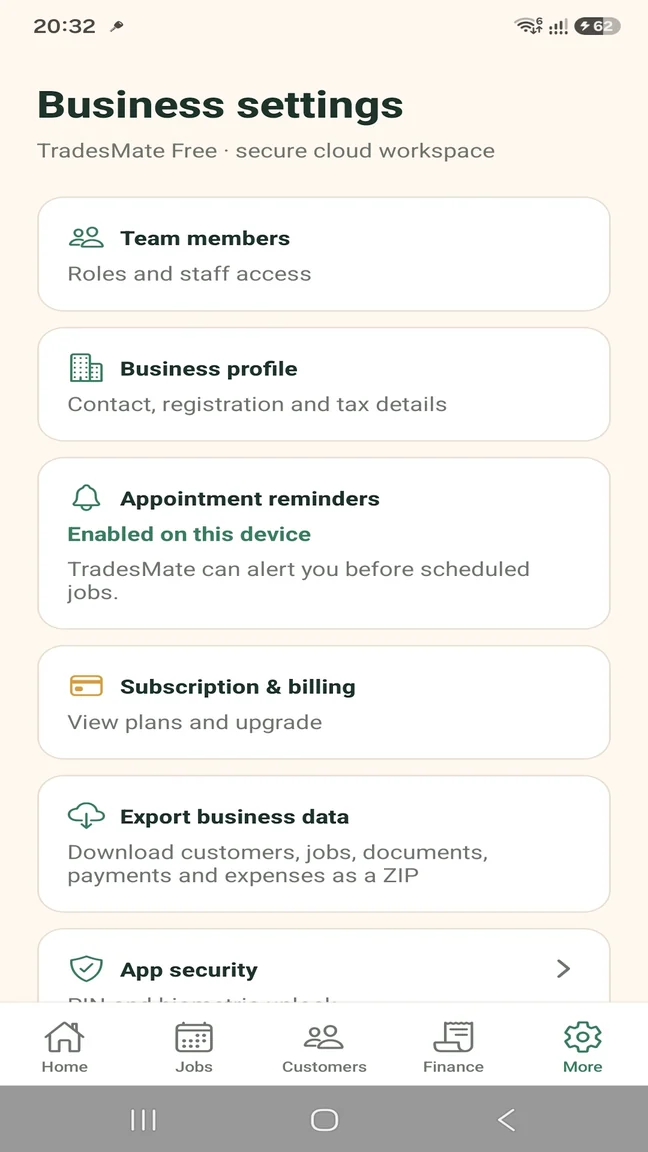
A job record brings the customer and practical appointment information together so the entry means more than a date and title.
Choose how far before scheduled work you want TradesMate to send an appointment reminder.
Pro businesses can add team members, apply role permissions and choose who is assigned to the job.
Update the job status and attach compressed photos so the record shows what happened on site.
Built for the way you work
Scheduling needs change when another person joins the business, but the core job details stay the same.
Keep your own upcoming work, reminders and customer details organised from the phone you carry.
Use Pro to add workers, assign jobs and control access to the shared business workspace.
Start without a large commitment
A sole trader can test scheduling with up to 5 active jobs on Free. Pro removes the job limit and adds team-member access and assignment.
TRADESMATE FREE
TRADESMATE PRO
Eligible new monthly subscribers can receive a 14-day free trial. Current subscription prices appear in Google Play in your local currency.
Questions about this workflow
Yes. You can configure a push reminder before scheduled jobs. Android notification permission must be enabled.
Yes. Team-member access and job assignment are included with TradesMate Pro.
Jobs can be marked scheduled, in progress, completed or cancelled.
Yes. The job is associated with a customer and can include its own work address and description.
No. No route-optimisation, GPS tracking or automatic-dispatch capability is claimed.
No Google Calendar integration or drag-and-drop calendar is currently claimed.
TradesMate for Android
Start on the Free plan or ask Samuel for a free 20-minute walkthrough.